Asset Discovery
Asset Discovery keeps your configuration data honest without anyone lifting a finger. Running inside ServiceCore on the same shared data model as the rest of the platform, it scans your estate on a schedule and surfaces every device it finds — servers, workstations, switches, routers, printers, IoT endpoints and virtual machines — reading back their hardware, installed software and configuration attributes. Each finding is normalized into a configuration item and written straight into the CMDB, so the inventory you act on reflects the live environment rather than a spreadsheet someone last touched a quarter ago.
Built for the way asset discovery should work
Asset Discovery keeps your configuration data honest without anyone lifting a finger. Running inside ServiceCore on the same shared data model as the rest of the platform, it scans your estate on a schedule and surfaces every device it finds — servers, workstations, switches, routers, printers, IoT endpoints and virtual machines — reading back their hardware, installed software and configuration attributes. Each finding is normalized into a configuration item and written straight into the CMDB, so the inventory you act on reflects the live environment rather than a spreadsheet someone last touched a quarter ago.
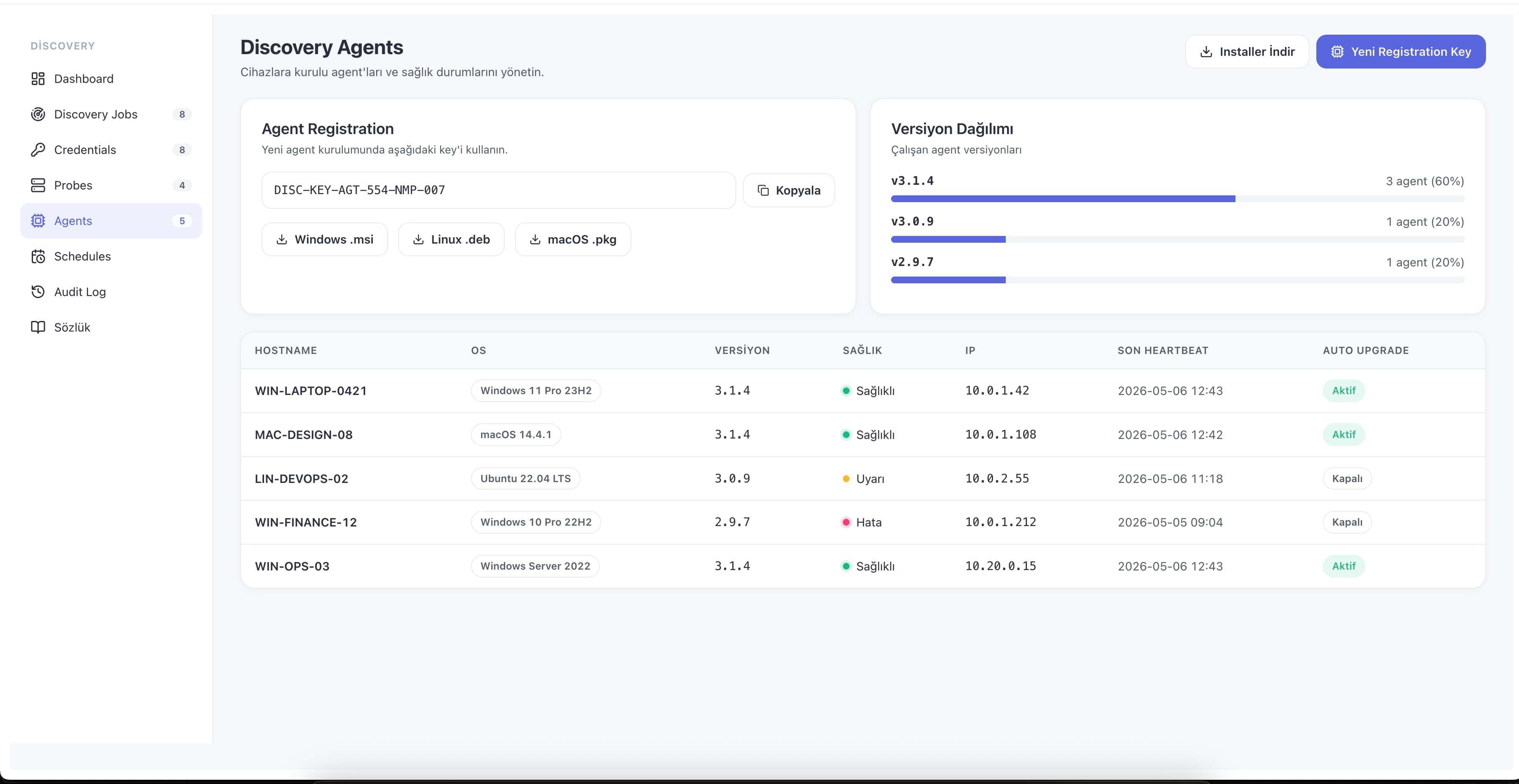
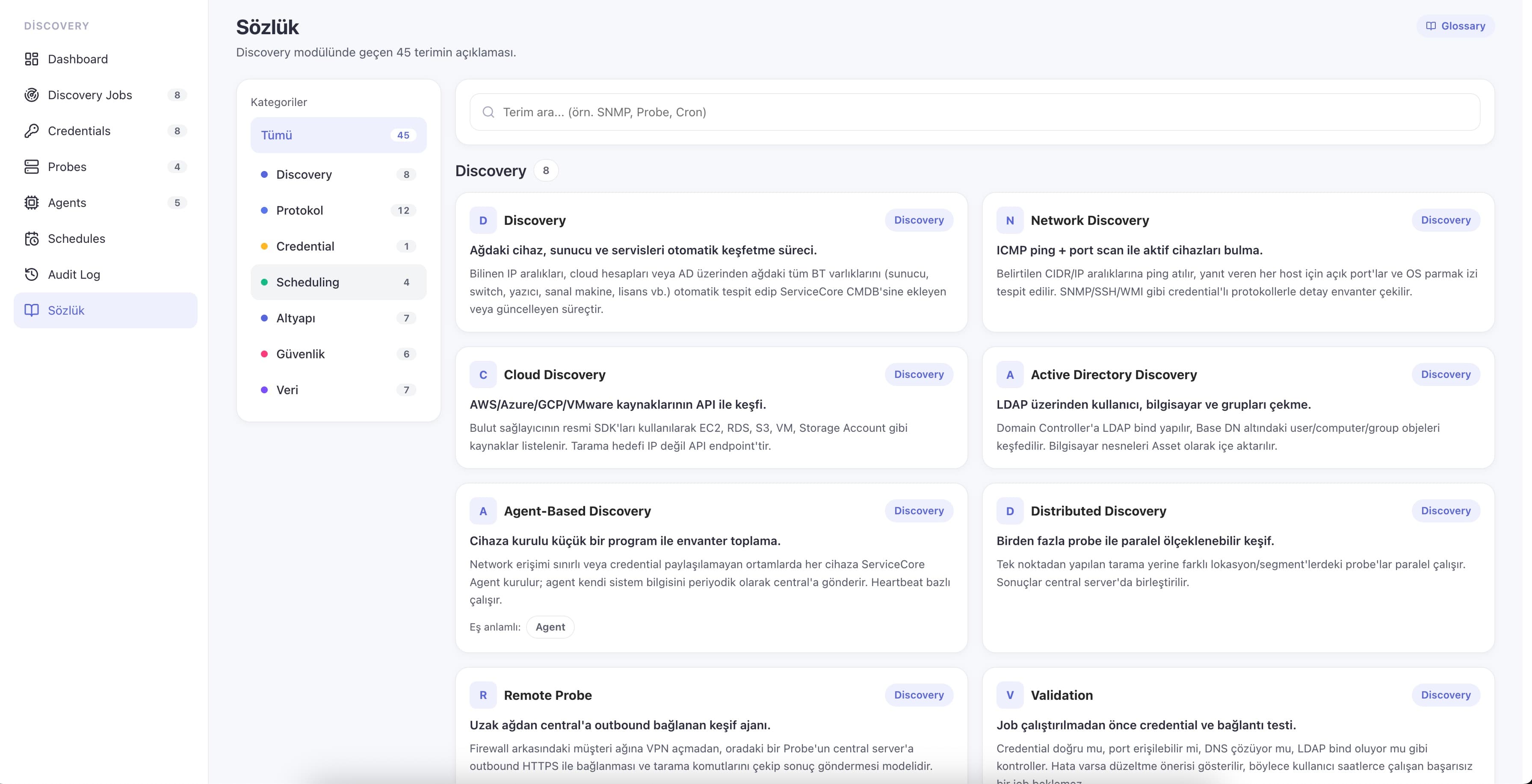
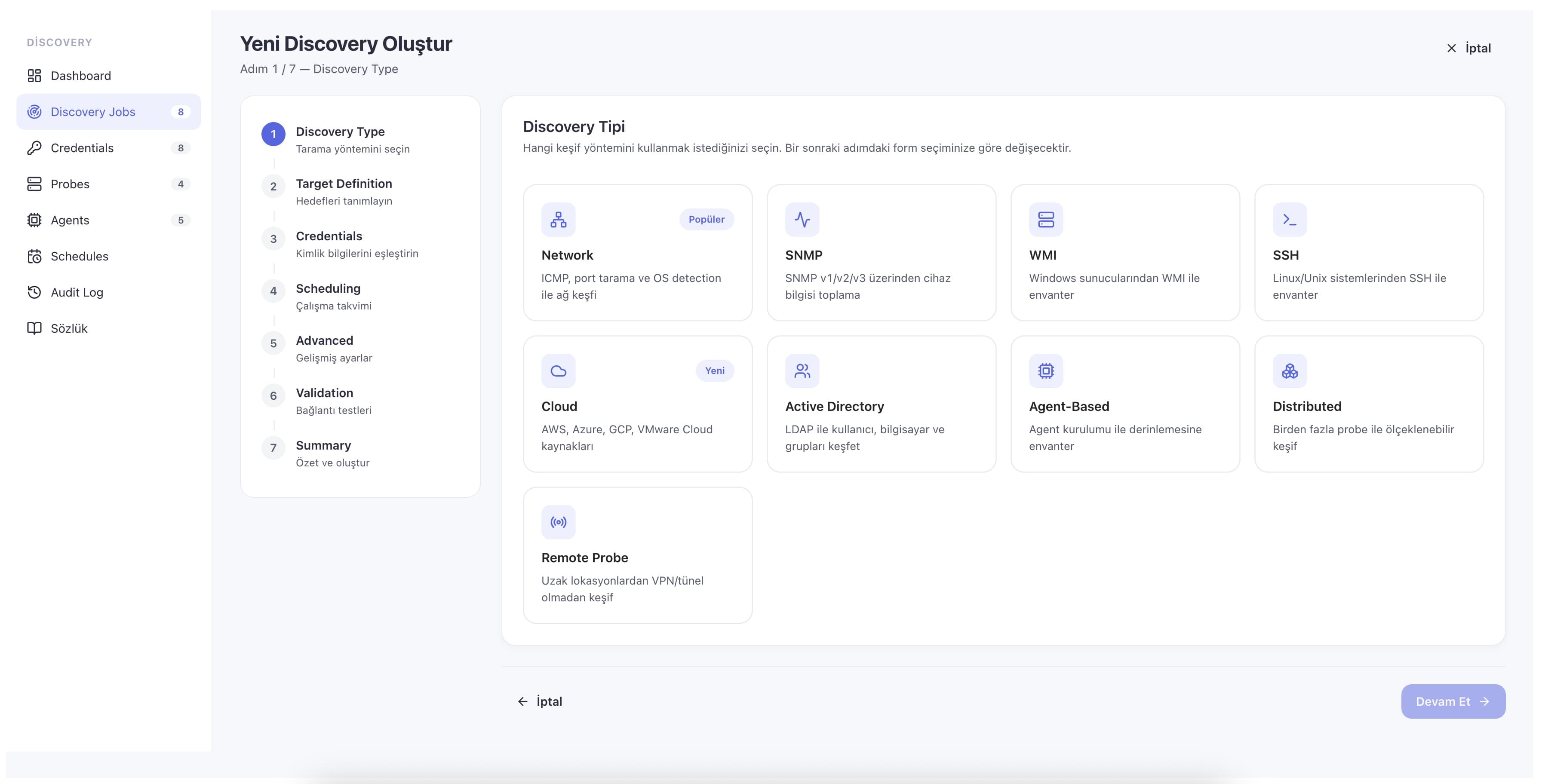
One module covers nine discovery methods, so it works the way your network is actually shaped: Network/IP-range and SNMP for switches, routers and printers; WMI/WinRM for Windows and SSH for Linux/Unix servers; cloud APIs for AWS, Azure, GCP and VMware; Active Directory for users, computers and groups; a lightweight endpoint agent for off-network or roaming machines; distributed scanning across many sites at once; and remote probes that reach branch offices without opening a VPN. Agentless methods cover the bulk of the estate without touching endpoints, while the optional agent (Windows, Linux and macOS, roughly 30 MB, auto-upgrading with heartbeat health checks) reaches what agentless cannot.
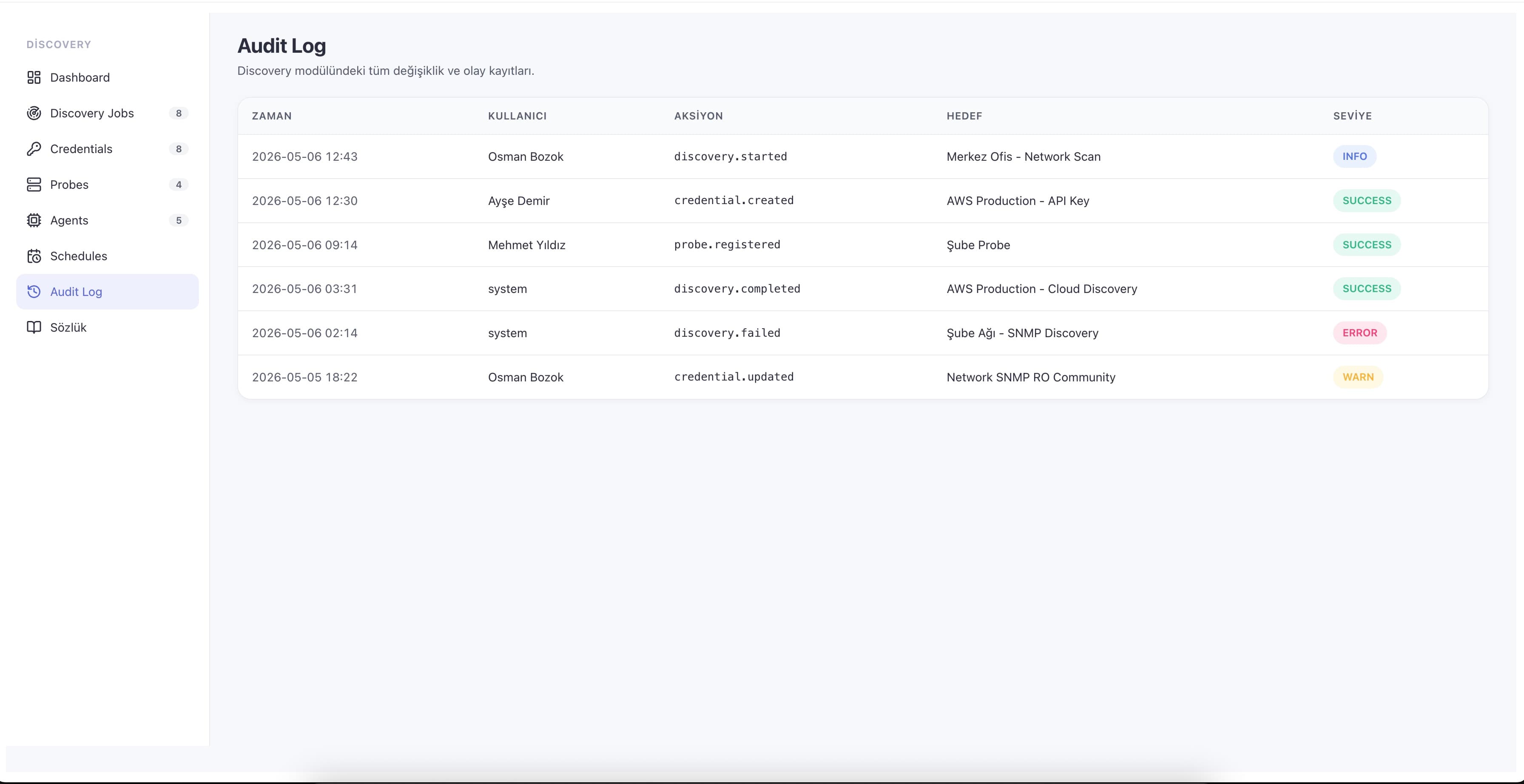
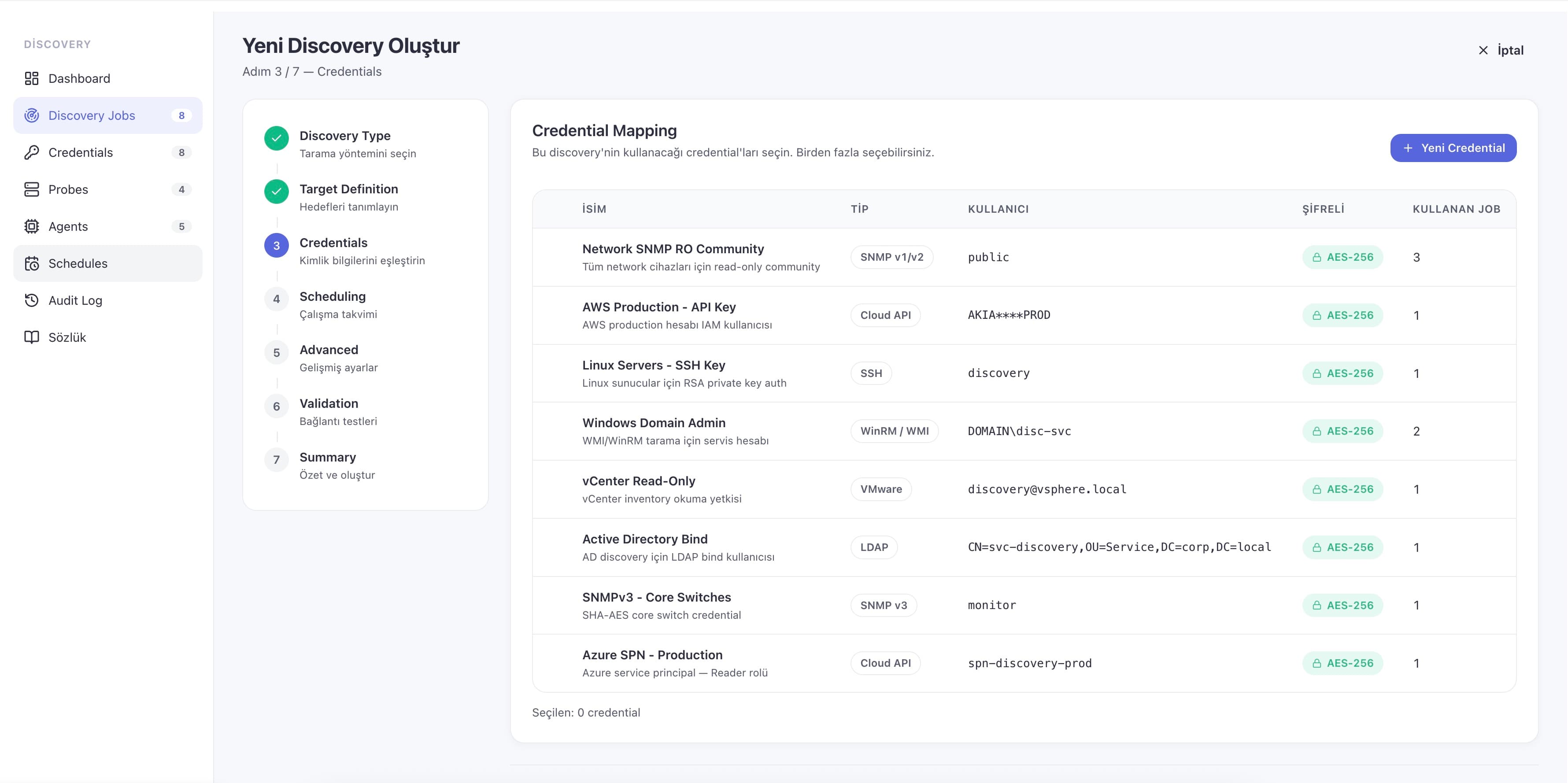
Cloud and on-prem live in the same CMDB — AWS EC2, RDS and S3, Azure VM, Storage and Subscription, GCP Compute and Storage, and VMware vCenter all sit next to your physical estate rather than in a separate tool. Distributed probes scan remote sites, DR, production and test networks over a single outbound connection, so no inbound firewall rules or per-site VPNs are required. Every credential used for scanning is stored AES-256 encrypted with the master key held in an HSM/KMS, never leaves the platform, and every access is written to the audit trail — with credential rotation and per-customer scope controls that keep discovery KVKK/GDPR compliant.
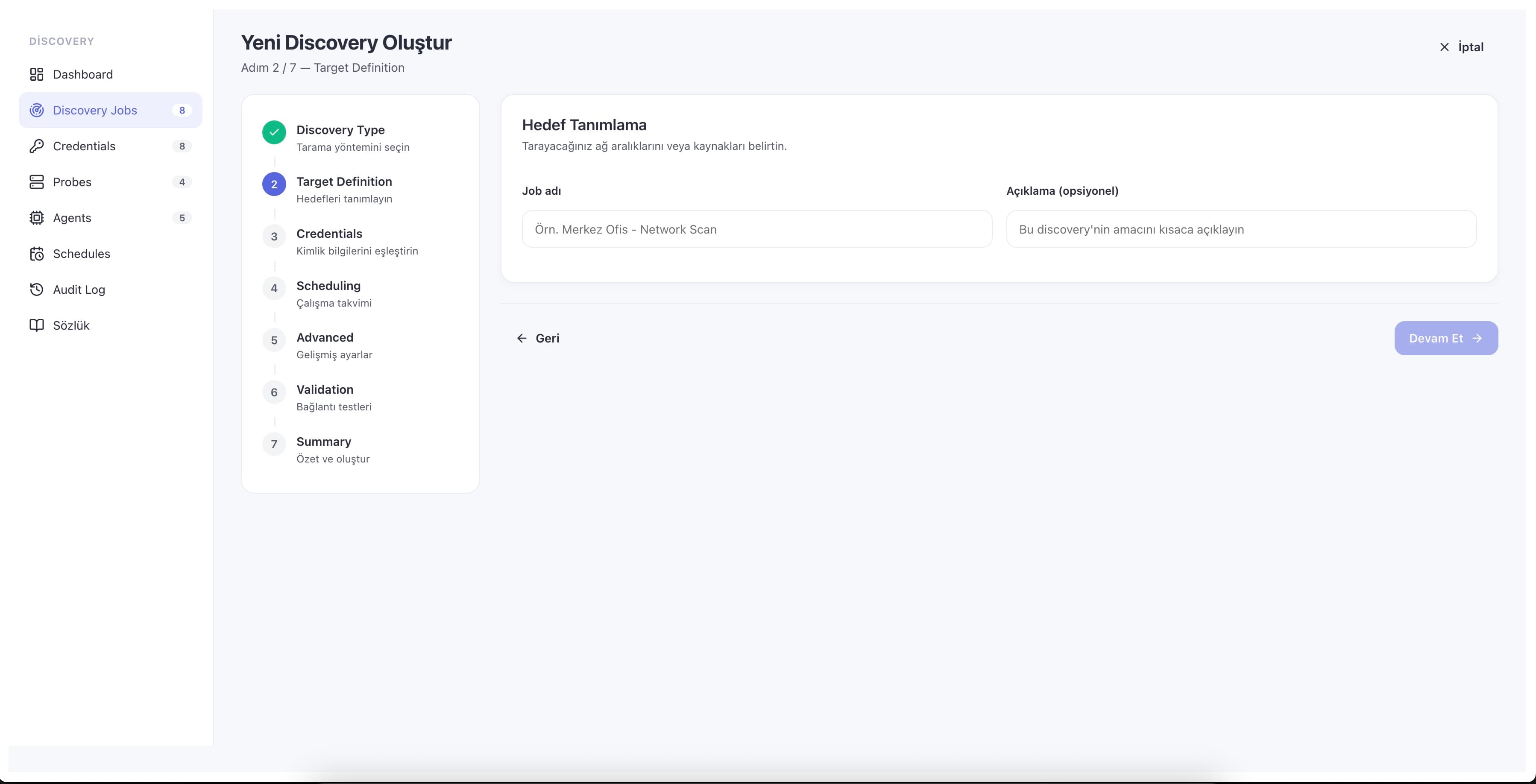
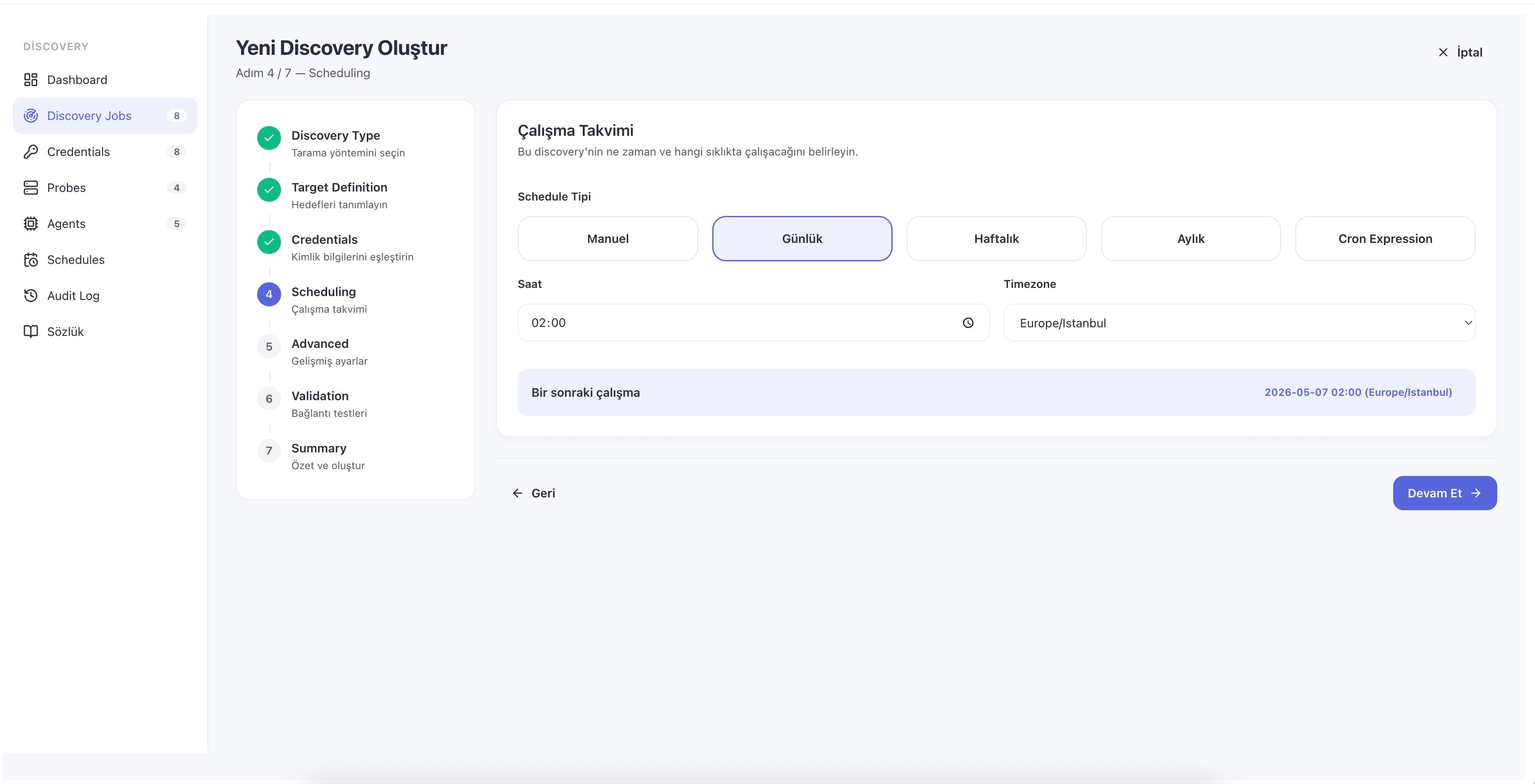
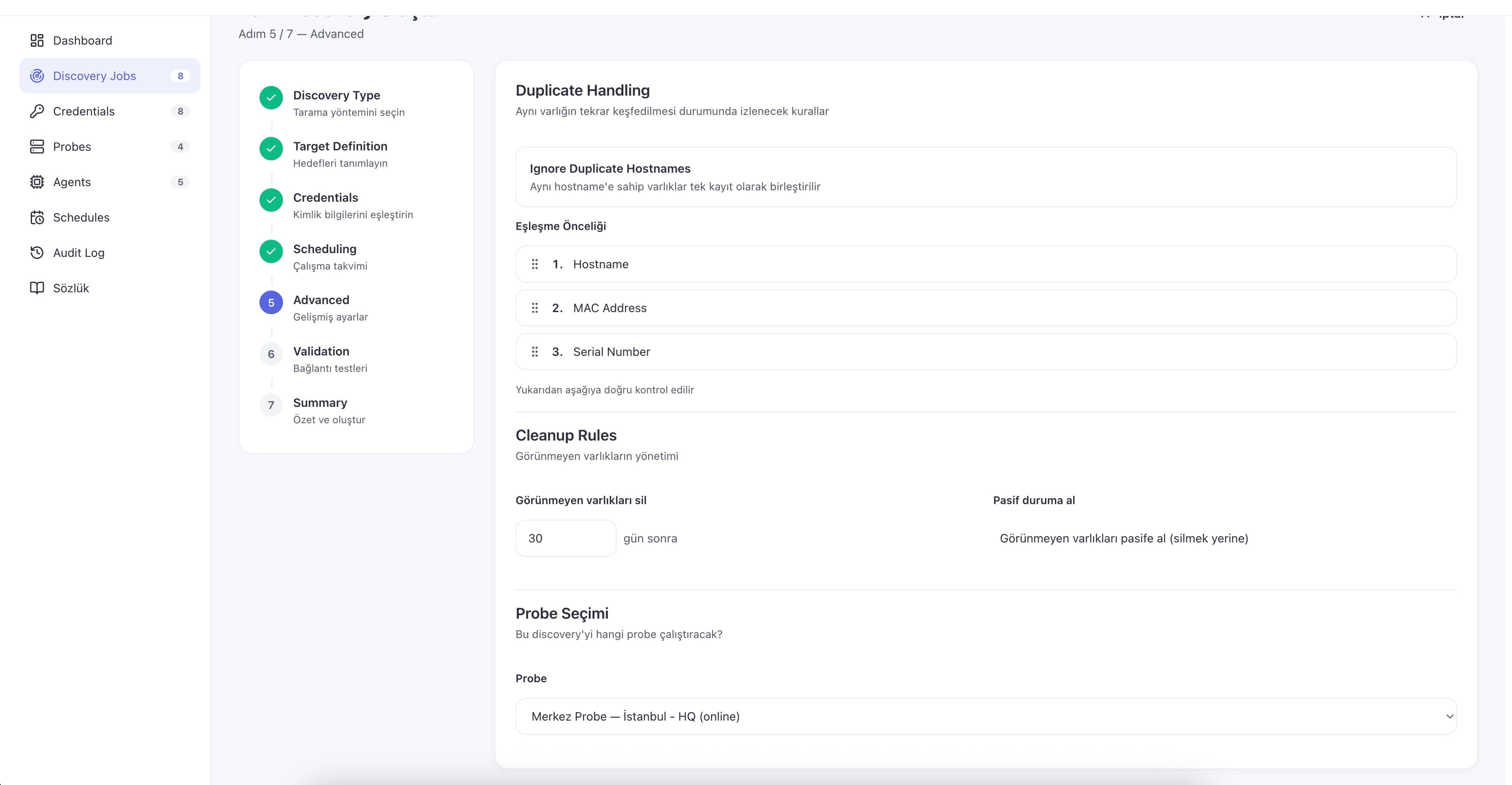
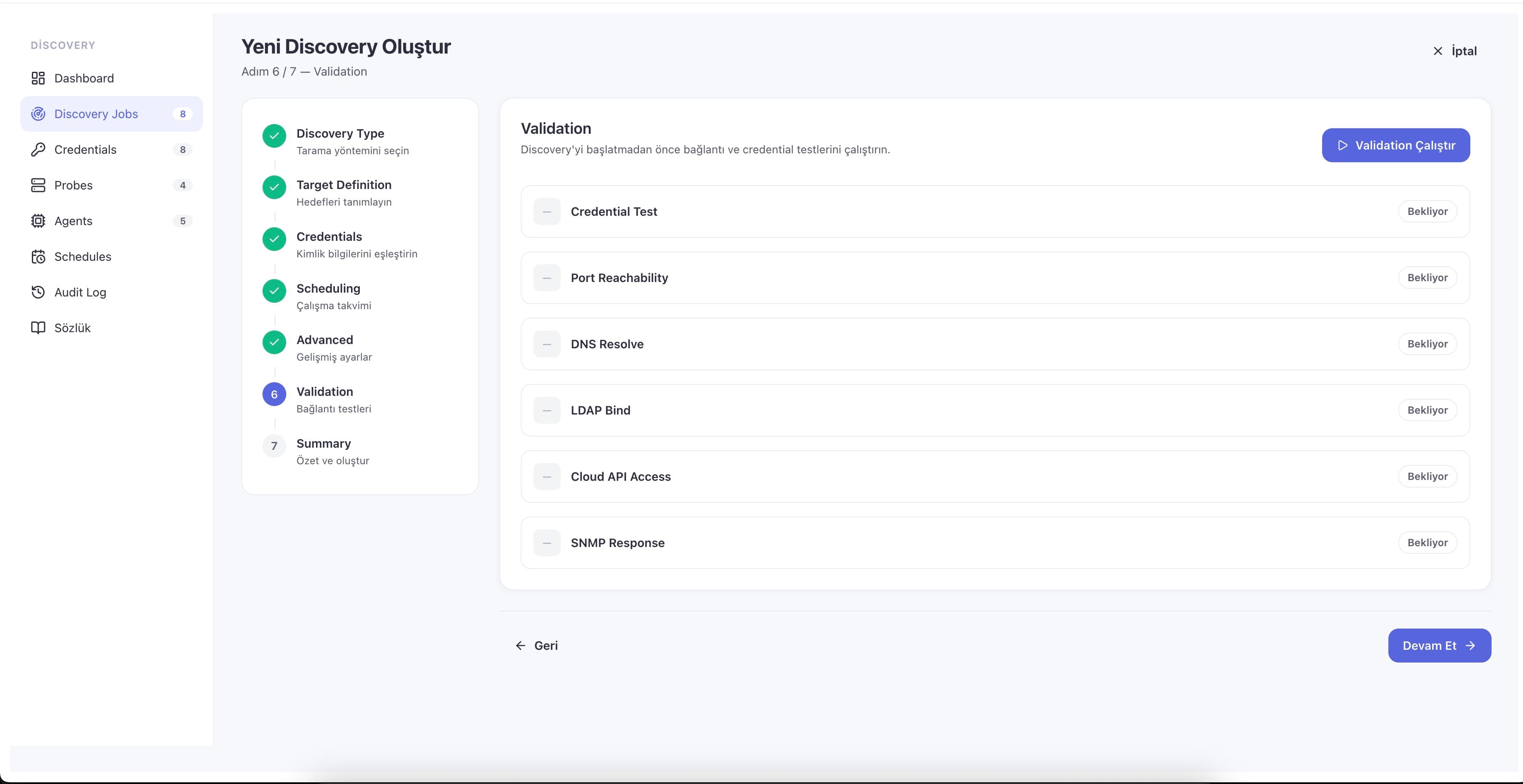
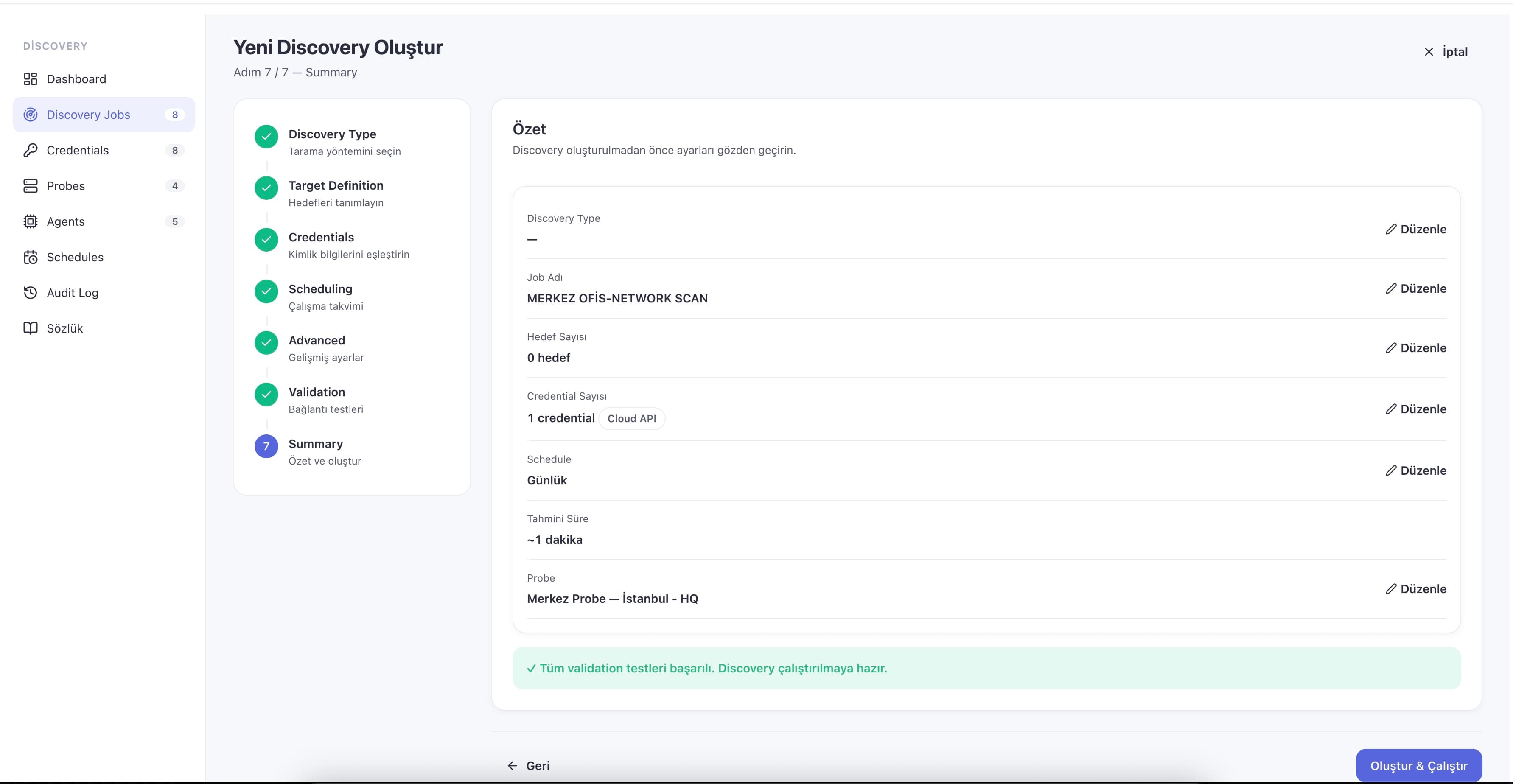
Discovery runs continuously and stays clean. New devices appear in inventory within a cycle, changed attributes update in place, and intelligent matching (hostname, MAC and serial-number precedence) ensures a device that moves or changes IP updates its existing configuration item instead of spawning a duplicate. Retired devices are auto-cleaned after a grace period or set inactive while their record is preserved. A seven-step setup wizard with live validation gets a new environment to its first scan result in about 30 minutes, and a live dashboard shows running scans, newly found and updated assets, success rate and credential errors as they happen.
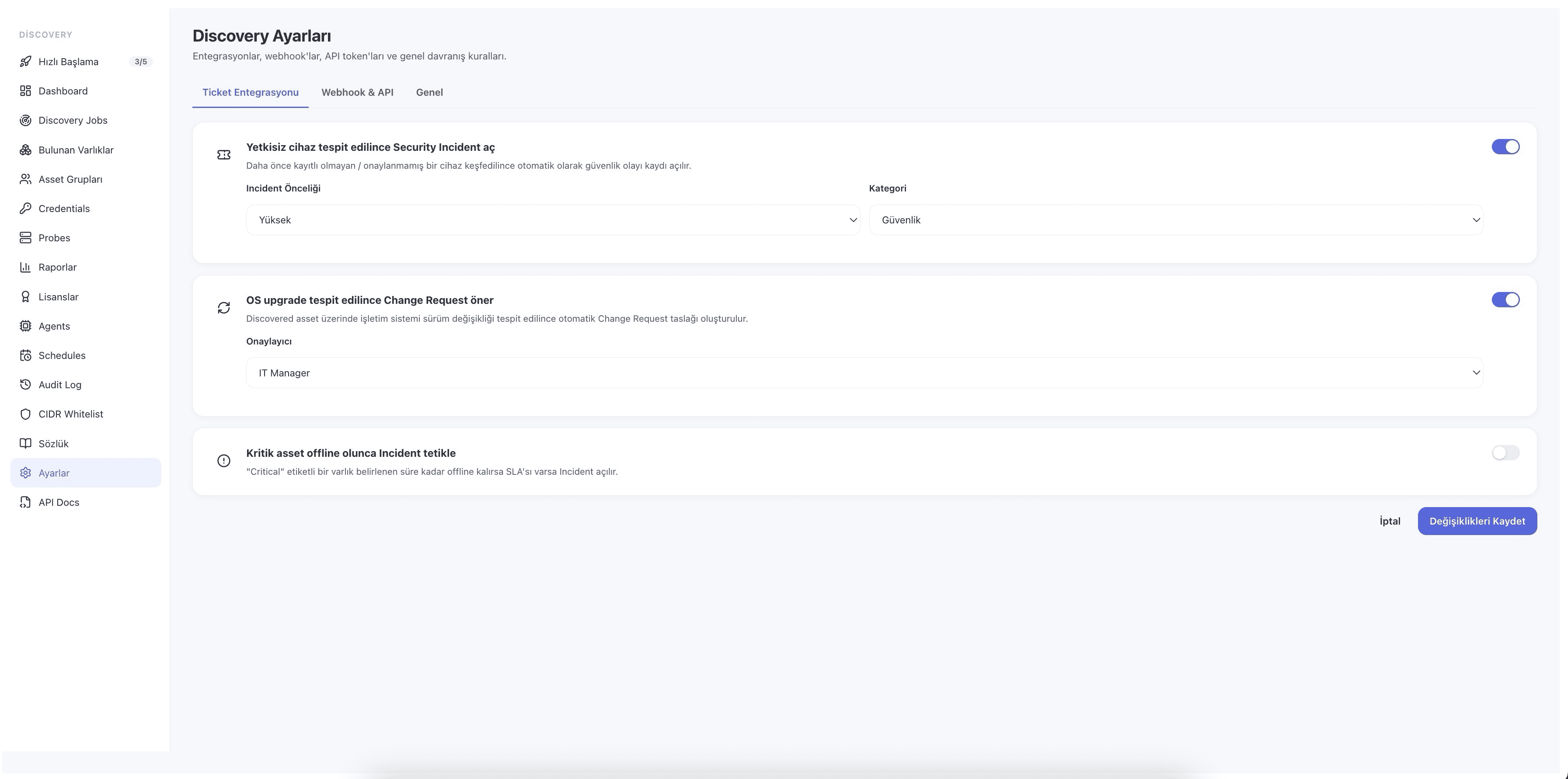
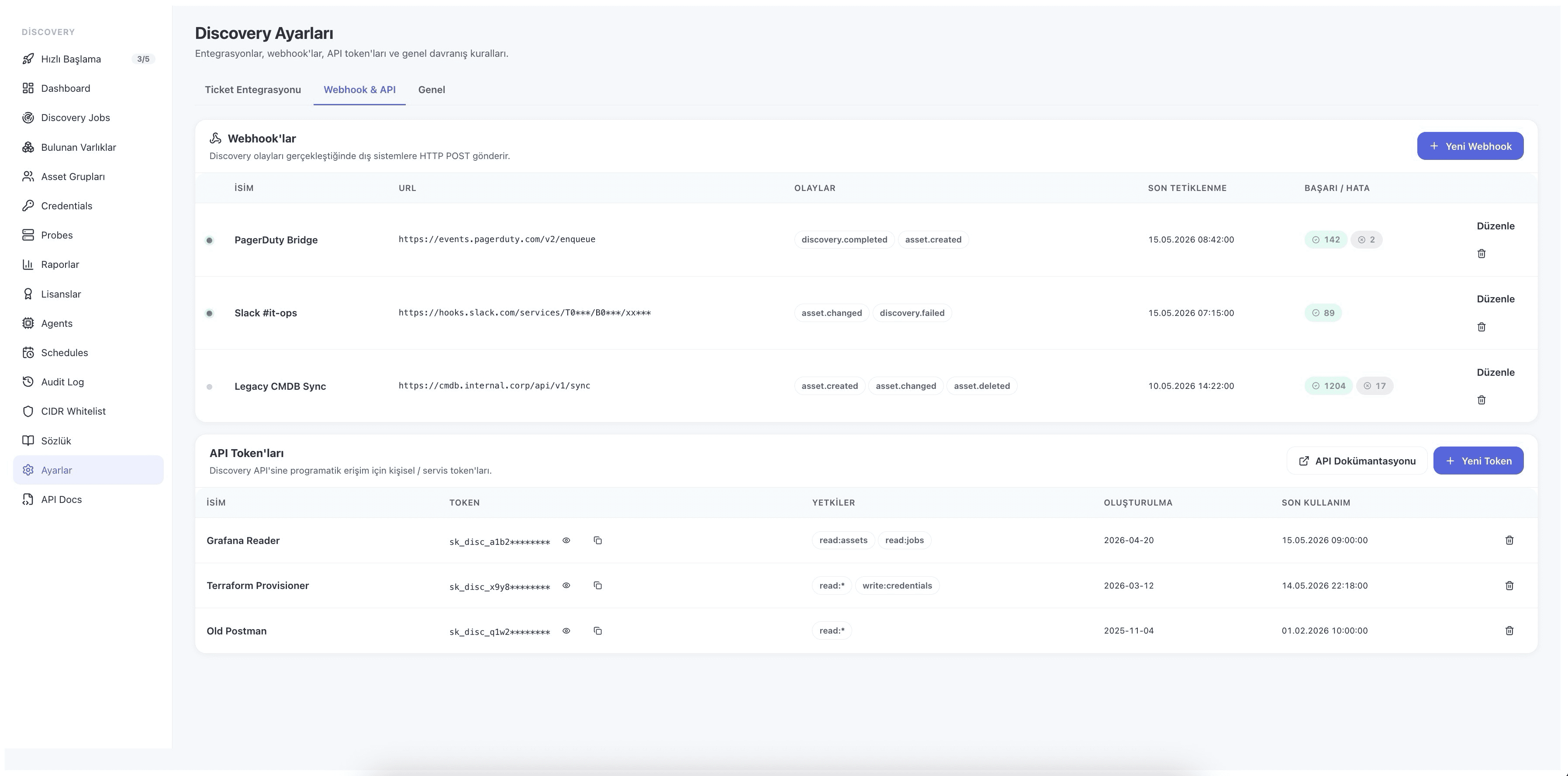
Because everything lands in one CMDB, the inventory Discovery maintains becomes the trusted reference the rest of ServiceCore reads from. Incident, Problem, Request and Change records attach to the same configuration items, so impact analysis and change planning run against an observed dependency graph. Newly found or anomalous assets can open tickets automatically and route them to the right owner; discovered software and license data feed Asset Management compliance reporting; scheduled PDF and Excel reports reach inboxes on their own; and MSP mode isolates each customer's assets, jobs and credentials while still giving a consolidated view. A REST API and webhooks push discovered data into your existing SIEM or ITAM stack — turning the once-dreaded annual physical audit into a continuous, self-maintaining process.
- Nine discovery methods in one module
- Agentless scanning + lightweight endpoint agent
- Cloud and on-prem in one CMDB
- Distributed remote probes, no VPN
- AES-256 encrypted credential vault
- Smart de-duplication & lifecycle cleanup
- Automatic ticket integration
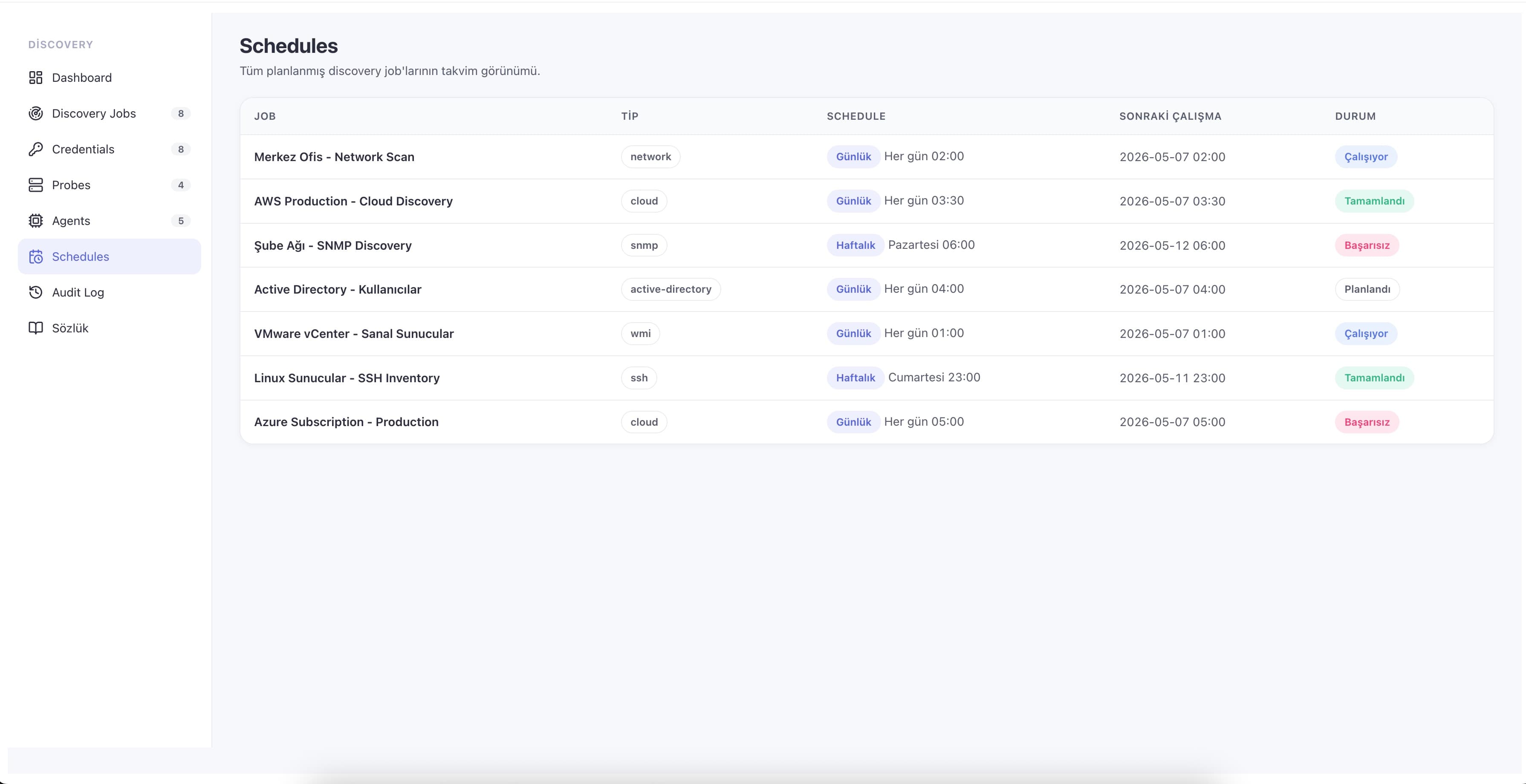
- Scheduled scans with live monitoring
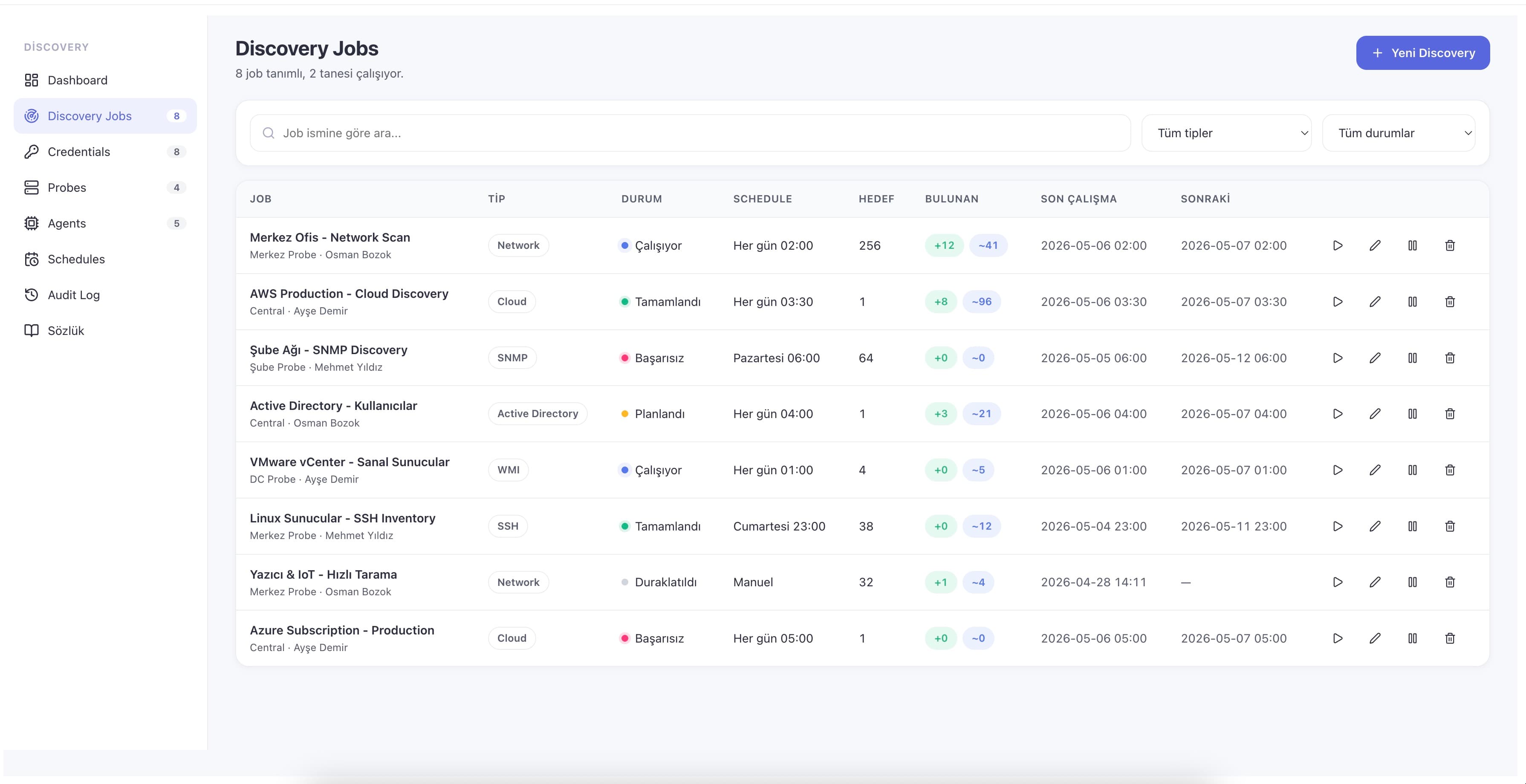
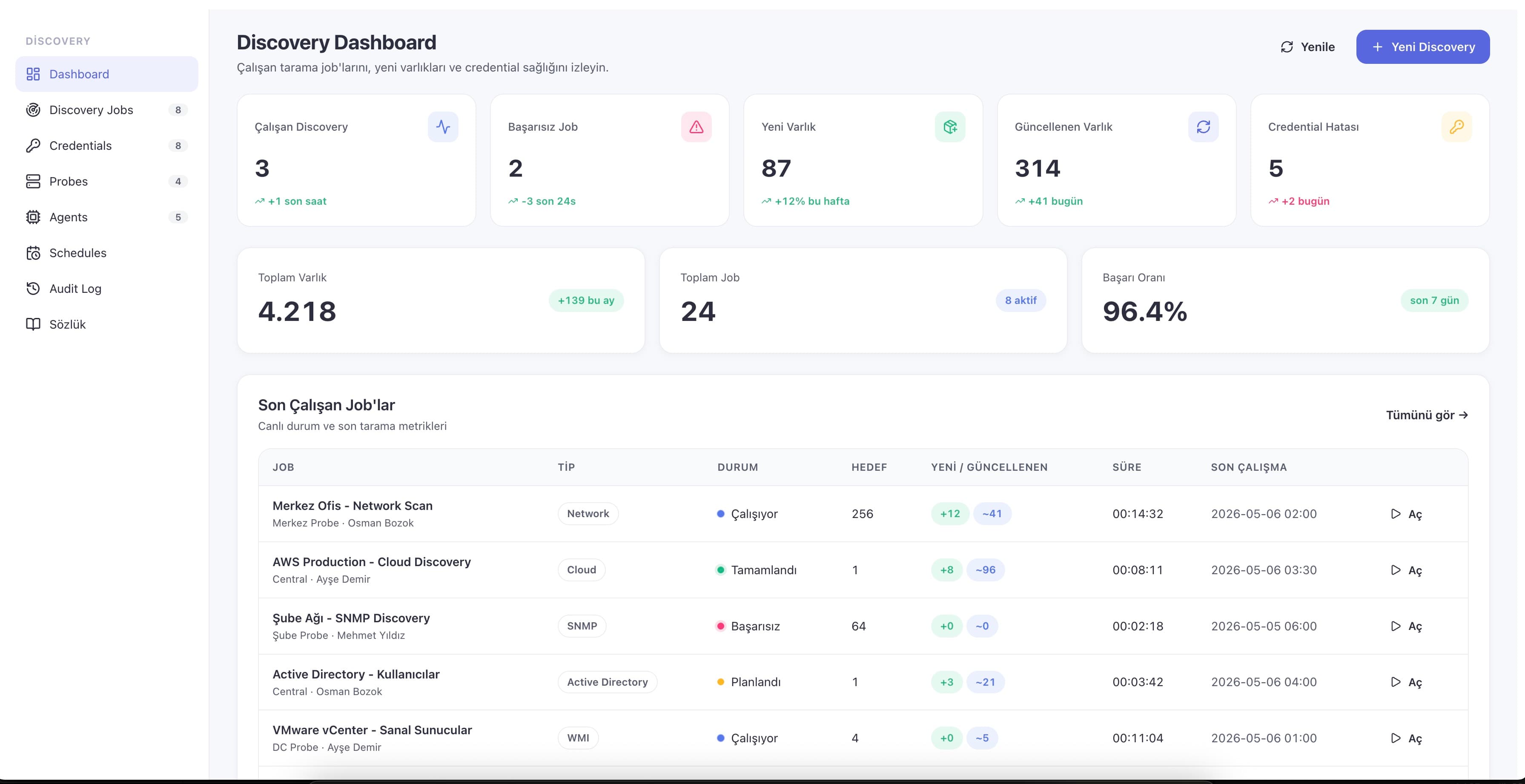
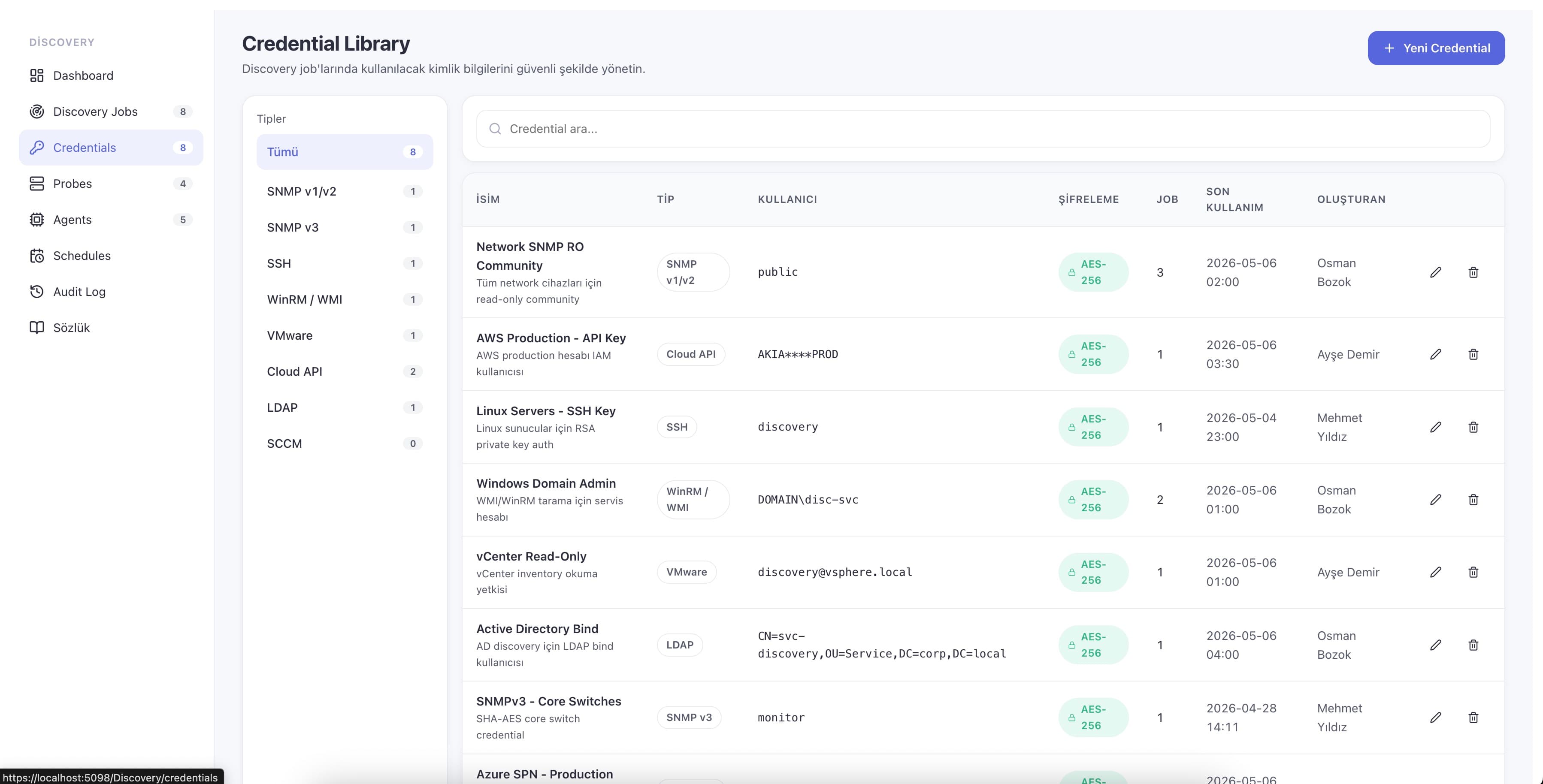
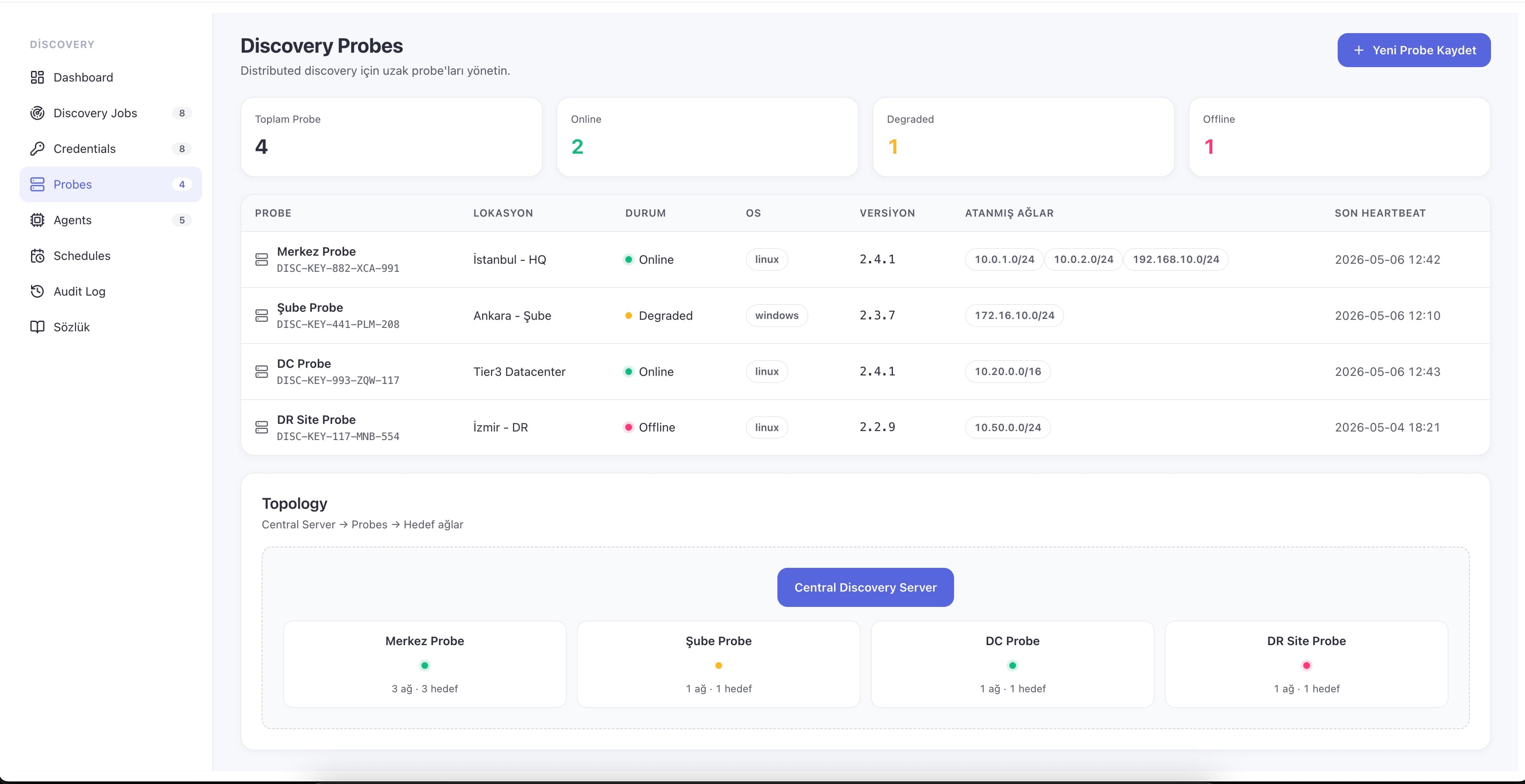
See Asset Discovery in the product
Real screens from the module — from the first scan to the CMDB it keeps current.
What you can do with it
Nine discovery methods
Network/IP-range, SNMP, WMI/WinRM, SSH, cloud APIs, Active Directory, endpoint agent, distributed scanning and remote probes — every discovery type in a single module.
Cloud + on-prem in one CMDB
AWS, Azure, GCP and VMware resources are discovered and normalized into the same configuration model as your physical estate, not a separate inventory.
Distributed remote probes
Per-site probes scan branches, DR, production and test networks over a single outbound connection, removing the need for inbound firewall rules or VPNs.
Encrypted credential management
Scanning credentials are stored AES-256 encrypted with the master key in an HSM/KMS, support rotation, never leave the platform, and every use is audit-logged.
Smart de-duplication
Findings reconcile against existing CIs by hostname, MAC and serial-number precedence, so a device that changes IP updates in place instead of duplicating.
Lifecycle cleanup
Retired devices are auto-cleaned after a grace period or set inactive with their record preserved, keeping the register accurate without manual housekeeping.
Endpoint agent
An optional ~30 MB agent for Windows, Linux and macOS reaches off-network and roaming machines, auto-upgrades itself and reports health via heartbeat.
Live scan monitoring
A dashboard streams running scans, found, new, updated and failed counts, success rate and credential errors in real time, with a seven-step setup wizard to start.
Why teams adopt it
Always-current inventory
The CMDB reflects the live environment after every cycle, so every process downstream reasons from accurate configuration data instead of a stale list.
Audits become continuous
Ongoing automated discovery replaces the annual physical count and keeps license and compliance evidence ready at any moment.
Reliable impact analysis
Change and Incident teams plan against an observed dependency graph instead of guesswork, cutting unexpected service disruption.
Secure by design
Encrypted credentials, full audit logging and per-customer scope controls keep discovery KVKK/GDPR compliant without slowing the team down.
Lower manual overhead
No one re-keys assets or chases stale records — the register is maintained as a byproduct of normal operation, freeing IT from inventory housekeeping.
Where it fits
Onboarding a new estate
The seven-step wizard and default job templates take a new environment to its first populated CMDB in about 30 minutes instead of weeks of manual cataloguing.
Branch and remote sites
A remote probe inventories each location over an outbound connection — no VPN or inbound firewall rules — giving head office one consolidated, current view.
License compliance reporting
Discovered software and license data feed Asset Management, so installed-versus-entitled gaps surface before a renewal or vendor audit without a separate count.
Multi-customer MSP delivery
MSP mode isolates each customer's assets, jobs and credentials with no cross-tenant leakage, while a consolidated view spans the whole book of business.
Pre-change impact review
Before a change is approved, the dependencies Discovery mapped reveal which services and users the affected configuration item actually touches.
Common questions
No. Most of the estate is discovered agentlessly using Network/IP-range, SNMP, WMI/WinRM, SSH and cloud APIs. The lightweight agent is optional and used only for machines that are off-network, roaming or behind firewalls that agentless methods cannot reach.
Part of these solutions
Related modules
See Asset Discovery in action.
Book a demo and we'll show asset discovery working alongside the rest of the platform — on one shared data model.